Online LaTeX compiler, free and with nothing to install
Write and compile LaTeX right in your browser, with pdfLaTeX, XeLaTeX or LuaLaTeX. No sign-up, and your project is kept only on your computer.
Free · No sign-up · Works with abnTeX2 (ABNT)
Why use LaTexWeb
Nothing to install
TeX Live runs inside your browser, in WebAssembly. No need to install TeX Live or MiKTeX or set up your computer.
Your files stay with you
No sign-up and no upload: the project is saved in your browser and compiled on your own computer.
Ready for ABNT
Compiles abnTeX2 with BibTeX bibliographies, lists of abbreviations (nomencl) and SVG figures: everything a Brazilian thesis or dissertation needs.
Bring your Overleaf project
Import the ZIP downloaded from Overleaf or another editor, and export the project back as a ZIP whenever you like.
pdfLaTeX, XeLaTeX and LuaLaTeX
The engine is chosen from the project's packages, including fontspec with OpenType fonts, or set in the settings.
Large documents
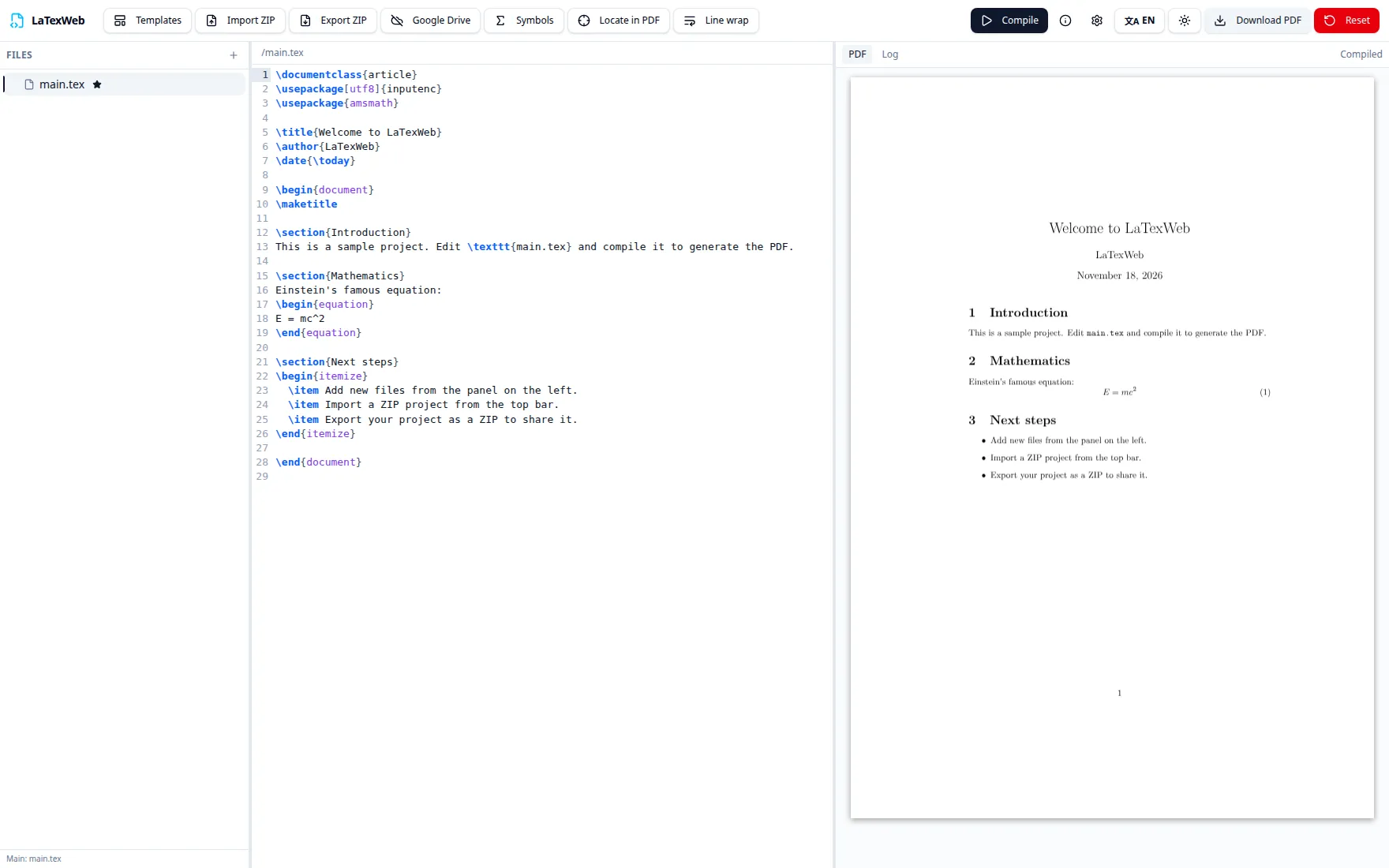
Theses and books can compile for up to 20 minutes. The PDF appears next to the code, with a search for the passage you are editing.
How to compile LaTeX online
- 1
Open the editor
It comes with a sample document. To use an existing project, click Import ZIP.
- 2
Click Compile
The first time, the browser downloads the TeX Live engine (about 240 MB). After that, it is already stored.
- 3
Download the PDF
The PDF appears next to the code. Download the PDF or export the whole project as a ZIP.
Frequently asked questions
- Do I need to install TeX Live or MiKTeX?
- No. LaTexWeb runs TeX Live 2026 inside your browser, in WebAssembly. On the first compilation the browser downloads the engine (about 240 MB), which is stored for the next ones.
- Do I need to create an account?
- No. Just open the editor and compile. There is no sign-up or login.
- Are my files sent to a server?
- No. The project is saved in your browser's own storage and compiled on your computer. Only TeX Live packages that don't come with the engine are downloaded, on demand, from a public repository. If you want, you can save the project to your own Google Drive.
- Can I save the project to Google Drive?
- Yes, if you want. In the editor, connect your Google account with the Drive button: the project is saved as a ZIP in a LaTexWeb folder in your Drive, kept up to date automatically, and can be opened on another computer. LaTexWeb only asks for the drive.file permission, which gives access solely to the files it creates itself, and the files go straight from your browser to your Drive, without passing through any LaTexWeb server.
- Does it work with abnTeX2 and the ABNT standards?
- Yes. Classes like abntex2 are downloaded automatically, the bibliography is processed with BibTeX, the nomencl list of abbreviations is generated, and SVG figures inserted with \includesvg are converted in the browser itself.
- Can I continue an Overleaf project?
- Yes. Download the project's source as a ZIP from Overleaf and use “Import ZIP” in the editor. To take the project back, use “Export ZIP”.
- Which LaTeX engines are supported?
- pdfLaTeX, XeLaTeX and LuaLaTeX. The engine is chosen automatically from the project's packages (with fontspec, for example, it uses XeLaTeX) and can also be set in the settings.
- Does it work offline?
- Partly. After the first compilation the engine is stored in the browser, but packages the project hasn't used yet need a connection to be downloaded.
Ready to compile?
The editor opens with a sample: just click Compile.